
Settings tab
The Settings tab has four pages: Interfaces, VLANs, IP addresses and Protection. Everyone can see them. Only users with the admin role can change anything; a viewer sees You are a viewer: you see the settings, only an admin may change them. The router checks the role again on every change.
The search box filters the page by name, VLAN, address or MAC. Refresh reads it again.
Every change is logged with your user name in /opt/dtvsol/log/api.log.
Interfaces
Section titled “Interfaces”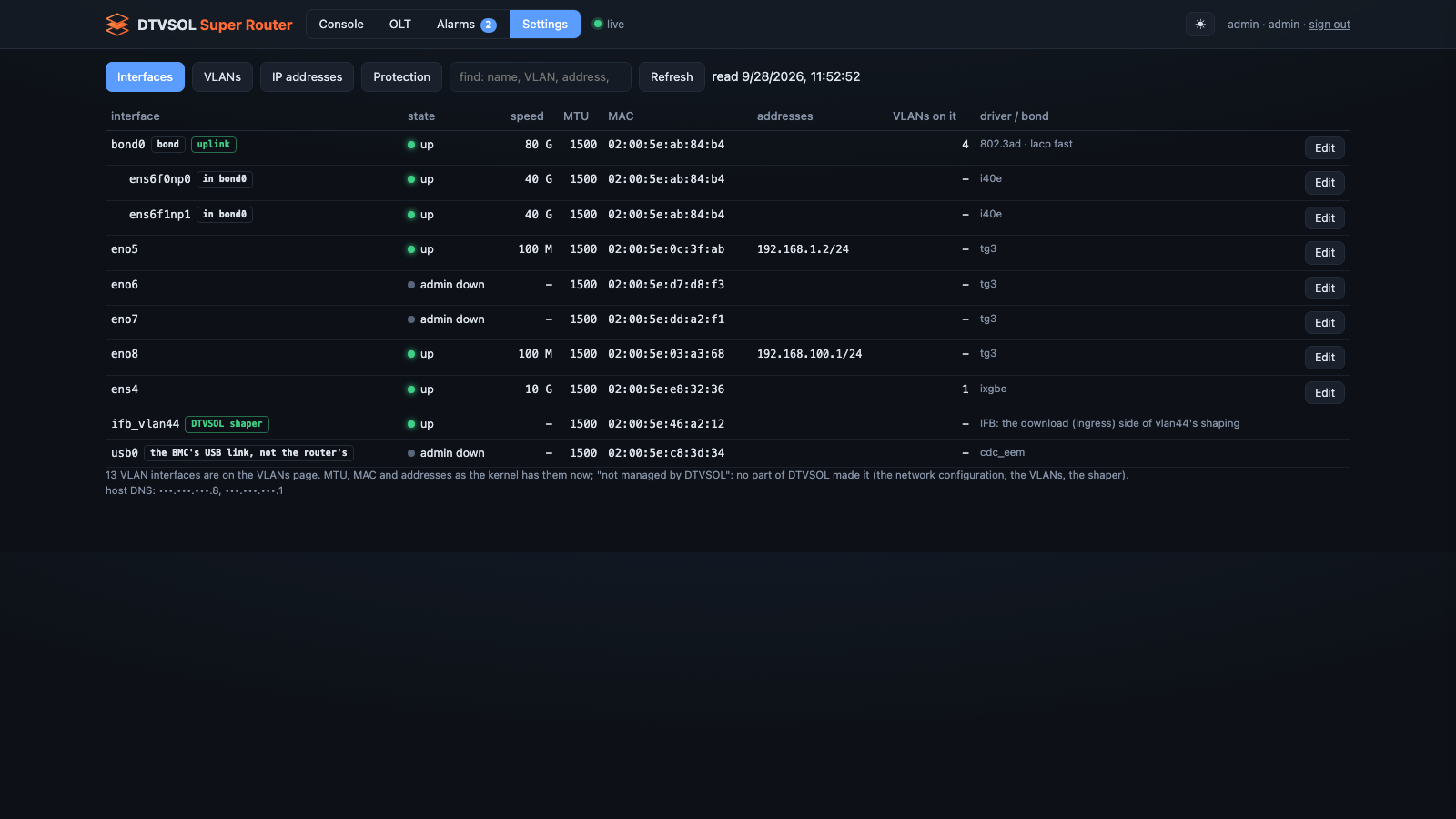
The router’s ports and bonds, as the kernel has them now (MTU, MAC, addresses, link), with tags:
- the uplink (a wrong change here cuts the router off);
- DTVSOL shaper or service VLAN for interfaces other parts of the router made;
- the BMC’s USB link, not the router’s for a server’s BMC link (often
usb0), which is never managed as a port; - not managed by DTVSOL for anything no part of the router made.
VLAN interfaces are on the VLANs page.
Changing ports and bonds
Section titled “Changing ports and bonds”- Click a port or bond.
- A port: enabled or disabled, MTU (576–9216; empty for the default), or stop managing this port.
- A bond: its members (ports with addresses or VLANs of their own cannot be members), the mode (802.3ad LACP, active-backup, balance-rr, balance-xor, balance-tlb, balance-alb, broadcast; the switch ports must match), the LACP rate, the hash policy, the link check interval, and the MTU.
- Click Keep this change. Changes collect in a bar: N interface(s) changed — not applied yet. Discard drops them.
- Click Review and apply… The router answers what changes, what it refuses, which addresses go, and shows the new netplan file. Nothing is touched yet.
- Click Apply — rolls back in 120 s unless you confirm.
- A banner counts down. Check that everything works, then click Confirm. Roll back now puts the old network back at once. Without a confirm, the router puts it back by itself after 120 seconds.
A change is refused if it takes away the address of your browser, an SSH session or the API. The page has no way to force it. Only one change can wait for its confirm at a time.
Stop managing this port takes the port out of the configuration: netplan leaves it alone. It is not possible for a bond member (take it out of the bond first) or a port with addresses (delete them first).
If the router has no network configuration stored yet, the page says so and shows only what
the kernel has. Store it on the router with dtvsol netcfg import --save.
See Network changes for the same from the CLI.
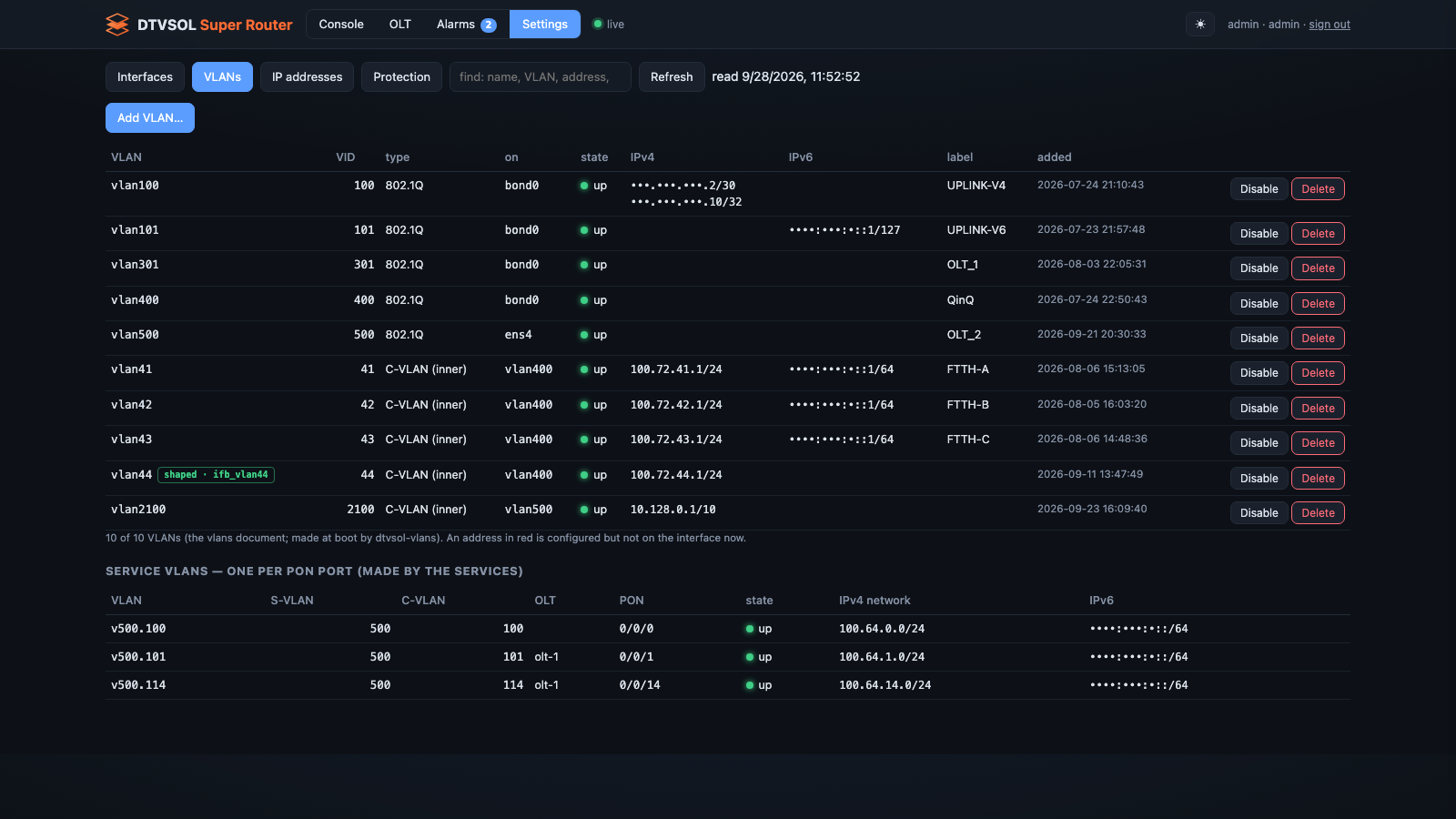
The VLANs the router creates at boot, with their parent, type, label, addresses and state. An address in red is configured but not on the interface now.
Add a VLAN: choose where it goes (a port, a bond, or an S-VLAN for an inner C-VLAN), the VLAN id (1–4094), the type (802.1Q, or 802.1ad for a QinQ S-VLAN), a label, the router’s IPv4 and optional IPv6 address on it, and whether to serve it (DHCP and router advertisements).
Disable, Enable, Delete act at once. Before a disable or a delete, the router checks and lists:
- refused, when the VLAN carries a default route, holds the address your browser, an SSH session or the API came to, or has other VLANs on top of it;
- what happens: the addresses that stop, DHCP that stops serving it, and for a delete the static routes, DHCP networks, NAT pool and port forwards that are deleted with it.
A disable asks for a reason, kept with the VLAN. A delete cannot be undone, so you type the VLAN’s name to confirm.
IP addresses
Section titled “IP addresses”Every address on the router, with its interface. Tags show where an address is kept: not stored (in the kernel but in no configuration: gone after a reboot) or missing (configured but not on the interface).
Add an address to a port, bond or VLAN. Delete asks the router first; it refuses:
- the address your browser, an SSH session or the API came to;
- an address whose network holds the default route’s gateway;
- a service VLAN’s addresses (they belong to the services);
- an address leased by DHCP.
It also lists what happens, for example the clients whose gateway it is.
Protection
Section titled “Protection”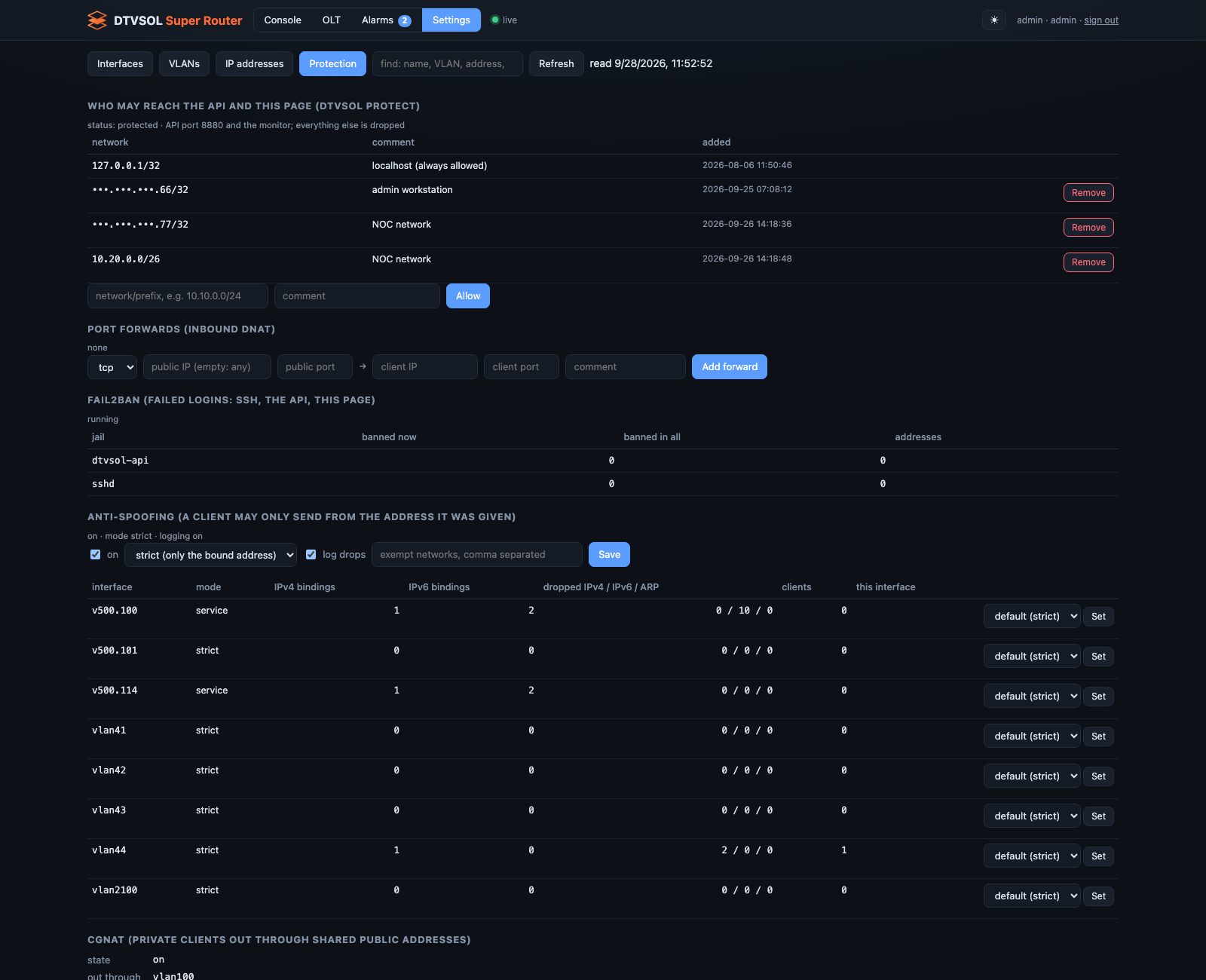
- Who may reach the API and this page: the allow-list. Add a network with Allow; Remove asks Sure? first. The entry your browser comes through cannot be removed, and localhost always stays.
- Port forwards: protocol, public address and port, client address and port, comment. Add and remove.
- fail2ban: the jails (SSH, the API, this page), banned addresses, and Unban.
- Anti-spoofing: on or off, the default mode (strict or dynamic), logging of drops, the exempt networks, and for each interface its mode, bindings and drops, with a per-interface mode (default, strict, dynamic, off). Turning anti-spoofing off asks for a second click.
- CGNAT: the state, the uplink, the public pool, the port range, ports per client, clients and capacity, exempt networks. Change CGNAT… opens the form.
- The MAC rules the router keeps for registered clients.
Changing CGNAT
Section titled “Changing CGNAT”The form says what your change does before you apply it:
- CGNAT goes OFF: every private client loses the internet until it is on again.
- The public address and port block of every client is worked out again: their open connections drop. (a new uplink, pool, port range or block size)
- Only the exempt list changes.
For the first two, the Change CGNAT button works only after you type CGNAT. See
CGNAT.
This site was written with the help of AI and checked by our team.